Install
npx skills@latest add engineersamuel/skillsSelect finish, or pin it directly:
npx skills add engineersamuel/skills --skill finishThen run /finish or $finish, depending on your harness. Source is at github.com/engineersamuel/skills.
The prompt I kept retyping
For a certain class of pull request I kept typing the same thing:
commit, open a PR, auto-merge, and monitor until mergedNot for every PR. For a specific class: code I had already reviewed, that had already passed its verification and validation gates. The work was done. What was left was ceremony.
So I typed it again. And again. Slightly different every time, which meant slightly wrong every time. One run would skip the rebase and push a branch that was three commits behind. One would report success while checks were still running. One would stage a local config file I had not looked at.
None of those are hard problems. They are just the failure modes of a procedure that lives in your head and gets retyped from memory at the end of a long session, when your attention is already on the next thing.
A prompt you retype is a skill you have not written yet.
What the skill is
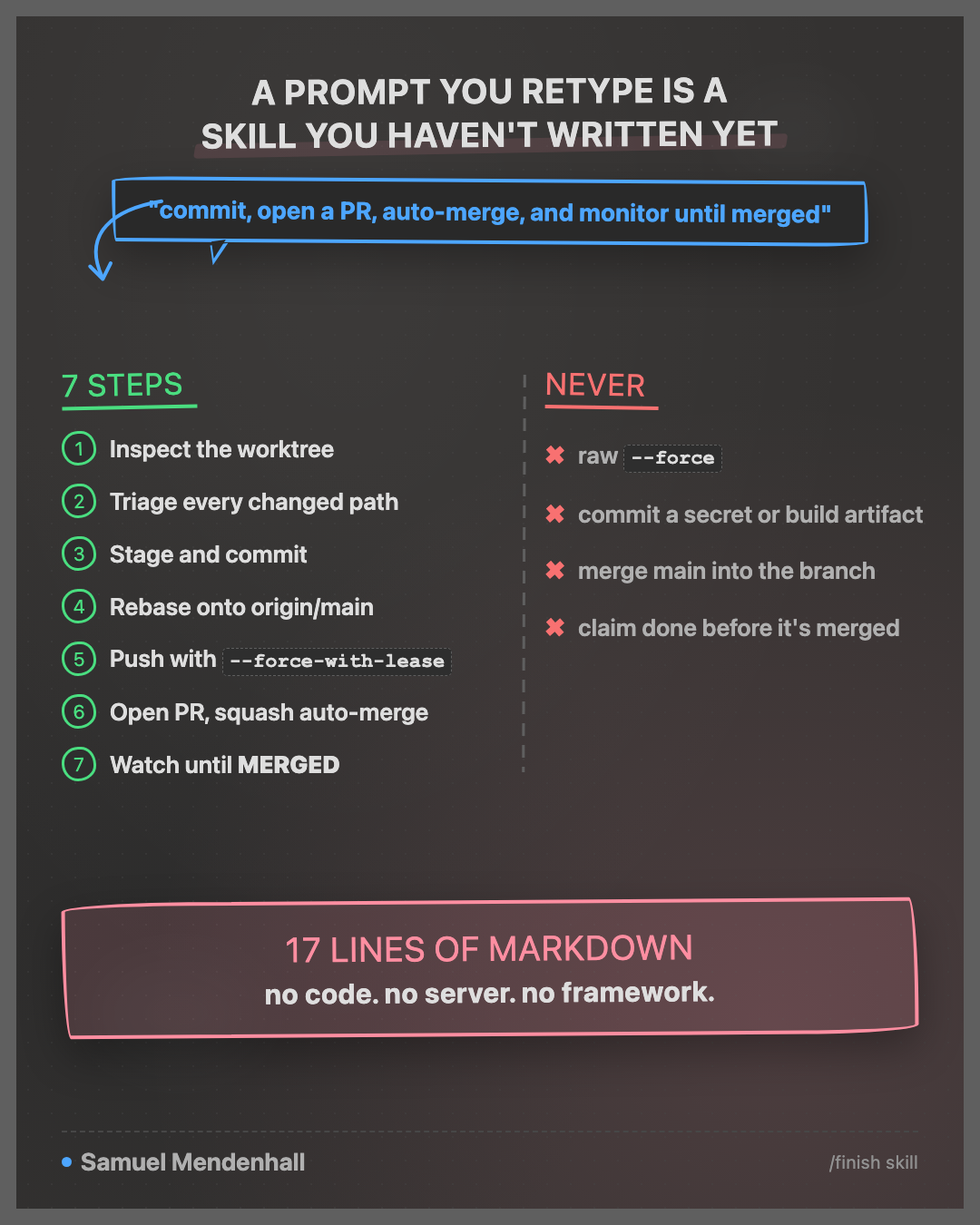
finish is that prompt, pinned down. Seven numbered steps and one line of prohibitions. No code, no server, no framework. The whole thing is markdown with frontmatter:
---
name: finish
description: Use when and only when the user explicitly invokes $finish or /finish to commit current work, rebase onto origin/main, resolve conflicts, create a PR, enable squash auto-merge, and monitor it until merged.
disable-model-invocation: true
---
The steps:
- Inspect the branch and the complete worktree with
git status --short --untracked-files=all, plus staged and unstaged diffs. If on the default branch, create a descriptive branch. - Triage every changed path before staging.
- Stage everything with
git add -A, confirm nothing is left unstaged, run applicable checks, commit. git pull --rebase origin main, resolve conflicts, rerun affected checks.git push --force-with-lease -u origin HEAD.gh pr create, thengh pr merge --auto --squash.- Monitor checks and PR state until GitHub reports
MERGED.
That is the boring part. The interesting part is what the file forbids.
The boundaries are the point
An agent that can commit and force-push is an agent that can lose your work. The value of writing the procedure down is not that it saves keystrokes. It is that the dangerous edges get stated once, in a file, instead of being re-improvised each time.
Four of them:
Never raw --force. Only --force-with-lease. A raw force push discards whatever landed on the remote since you last fetched. The lease variant refuses when the remote has moved.
Never commit a questionable path. Step 2 is a gate, not a formality. If a path might be local-only configuration, logs, caches, build output, a generated artifact, or a large binary, the skill stops and asks. Uncertain ownership counts as questionable. If a path might hold a secret or credential, it is never committed, and the run stops until you remove or secure it.
Never merge main into the branch. Rebase only, so history stays linear and the squash merge produces one honest commit.
Never claim completion before the PR is merged. This one matters more than it sounds. “Done” has to mean GitHub reported MERGED, not “I pushed and the checks looked fine.” Step 7 keeps watching, fixes owned check failures, rebases, pushes, and resumes. It stops early only for a blocker that needs a human, and reports it exactly.
Default to committing everything
Step 2 has a design decision inside it that took me a couple of iterations to get right.
The default is to commit all current worktree changes, including changes made before the invocation and changes unrelated to the latest task. Not just what the agent touched.
The alternative sounds tidier: commit only the files from this session. In practice it leaves debris. You end up with a clean PR and a worktree that still holds three modified files nobody remembers, which then ride along silently in the next PR. Committing everything, with a real triage gate in front of it, is more honest than committing a subset and calling the worktree clean.
The triage gate is what makes the aggressive default safe. It asks before it sweeps.
What it does not do
I kept the surface small on purpose.
finish does not:
- Review your code
- Decide whether the change is correct
- Run in response to a model’s judgment that now would be a good time
- Bypass branch protection or approve its own PR
- Handle merge queues, stacked PRs, or release branches
That third one is enforced by disable-model-invocation: true in the frontmatter. The skill runs when I type $finish or /finish. It does not trigger because the conversation drifted near the word “commit”.
Verification stays my job. finish is what runs after I am already satisfied, on work that already passed its gates. Point it at a PR you have not read and it will faithfully merge code you have not read.
When it fits
The precondition is a class of change, not a size of change:
- I have reviewed the diff
- Automated checks cover the behaviour I care about
- The repository squash merges and auto-merge is enabled
- Nothing about the change needs a conversation in the PR
Refactors with good test coverage, dependency bumps, documentation, generated client updates, and mechanical migrations all land here. Anything I want a second reader on does not.
Try it
- Find a branch you have already reviewed, with green checks
- Run
/finish - Watch what it asks you about in step 2
That third one is the tell. The paths it stops on are the ones your old prompt was quietly committing.